
Building a powerful AI tech stack is essential for modern freelancer
The global gig economy is expanding at an unprecedented rate, but so is the competition. Did you know that freelancers who integrate artificial intelligence into their daily operations report a 40% increase in productivity and a significant boost in their annual revenue? In today’s hyper-competitive market, staying relevant means more than just having a set of skills; it means having the right technology at your fingertips. This comprehensive guide to The Top 10 AI Tools Every Freelancer Needs will navigate you through the essential software that can automate your mundane tasks and amplify your creative output.
As we dive into this guide, you will learn how to leverage AI for everything from client communication and project management to complex content creation and financial tracking. Whether you are a graphic designer, a software developer, or a digital marketer, these tools are designed to serve as your virtual assistant, allowing you to focus on high-value strategic work. By the end of this article, you will have a clear roadmap for building a high-performance AI tech stack that keeps you ahead of the curve.
Why Freelancers Must Adopt AI Today

AI serves as a powerful force multiplier, giving solo freelancers agency-level capabilities.
The transition from traditional freelancing to AI-augmented freelancing is no longer optional. Clients are now expecting faster turnaround times and higher quality results, often at the same price points. Artificial intelligence allows you to meet these demands without burning out. It acts as a force multiplier, giving a solo entrepreneur the capabilities of a small agency.
Furthermore, AI helps in reducing human error in repetitive tasks like invoicing and scheduling. By automating these processes, you ensure that your business runs smoothly in the background while you are busy delivering value to your clients. Embracing these tools is about reclaiming your time and scaling your business effectively.
1. ChatGPT: The Versatile Virtual Assistant
ChatGPT remains at the top of the list for a reason. Its ability to draft emails, generate content ideas, and even debug code makes it an indispensable tool for any freelancer. With the latest updates in 2026, it now features enhanced reasoning capabilities that allow for deeper strategic planning and more nuanced communication.
Advanced Content Generation
Freelancers often struggle with writer’s block. ChatGPT can generate outlines, social media captions, and blog post drafts in seconds. By providing specific prompts, you can maintain a consistent brand voice across all your platforms.
Client Management and Communication
Drafting professional responses to difficult client queries can be draining. You can use this AI to refine your tone, ensuring you sound professional yet approachable. It can also summarize long meeting transcripts into actionable bullet points.
2. Canva AI: Revolutionary Design for Non-Designers
For freelancers who aren’t professional designers but need high-quality visuals, Canva’s AI suite is a lifesaver. Features like “Magic Media” and “Magic Edit” allow you to generate images from text and modify existing designs with simple commands. This is one of The Top 10 AI Tools Every Freelancer Needs because it democratizes high-end aesthetic production.
Brand Consistency
Maintaining a professional look across different social channels is easy with Canva’s Brand Hub. The AI suggests color palettes and fonts that align with your established identity. You can transform a single design into multiple formats for Instagram, LinkedIn, and YouTube with one click.
Time-Saving Automation
Canva’s AI can automatically remove backgrounds from photos or generate entire presentations from a brief outline. This saves hours of manual labor in Photoshop, allowing you to deliver visual assets to clients much faster.
3. Notion AI: Centralized Productivity and Knowledge
Notion has evolved from a simple note-taking app into a powerful AI-driven workspace. Its AI can summarize your notes, brainstorm project ideas, and even write the first draft of your project proposals. It is the ultimate tool for organizing your freelance business.
Intelligent Project Tracking
Managing multiple clients requires meticulous organization. Notion AI can automatically categorize your tasks, set deadlines, and even predict project risks based on your previous work patterns. It turns a static database into a dynamic project manager.
Automated Documentation
As a freelancer, you need to keep records of processes. Notion AI can take your rough meeting notes and turn them into a polished Standard Operating Procedure (SOP). This makes it easier to onboard subcontractors if you decide to scale your freelance business into a boutique agency.
4. Grammarly: Perfection in Professional Writing
In the freelance world, a single typo can cost you a contract. Grammarly has moved beyond simple spell-checking into advanced AI tone detection and structural suggestions. It ensures that every word you send to a client is polished and persuasive.
Tone Adjustment
Depending on the client, you may need to sound more formal or more casual. Grammarly’s AI analyzes your text and suggests changes to match the desired sentiment. This is crucial for building trust through professional correspondence.
Plagiarism Detection
For content writers, originality is paramount. Grammarly’s built-in plagiarism checker compares your work against billions of web pages. This gives both you and your client peace of mind regarding the authenticity of the delivered work.
5. Otter.ai: Never Miss a Detail in Client Meetings

Mastering time management with AI-powered automation and predictive analysis.
Otter.ai is the gold standard for automated transcription and meeting notes. It connects to your Zoom, Google Meet, or Microsoft Teams calls and records everything in real-time. This is essential for freelancers who need to focus on the conversation rather than taking notes.
Automated Summarization
After a call, Otter.ai generates a summary of the key points and action items. You can easily share these with the client to confirm everyone is on the same page. This level of professionalism often leads to higher client retention rates.
Searchable Knowledge Base
All your past meetings become a searchable database. If you forget a specific detail a client mentioned three months ago, you can simply search for the keyword and find the exact moment it was discussed. This eliminates the “I forgot” factor from your client relationships.
6. Jasper: Specialized AI for Marketing Content
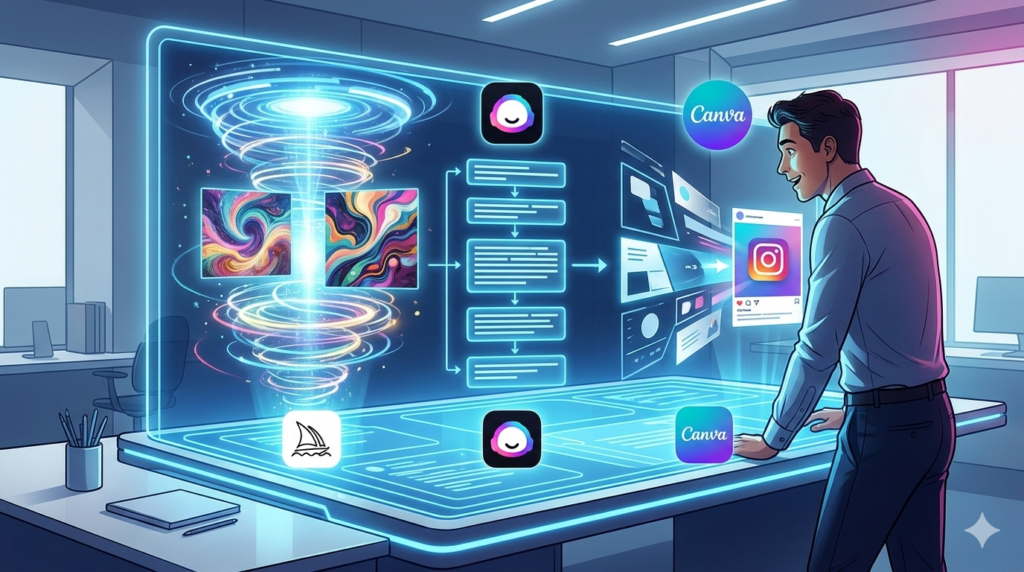
AI streamlines creative production across design, writing, and marketing formats.
While general AI tools are great, Jasper is specifically built for marketing professionals. It understands frameworks like AIDA (Attention, Interest, Desire, Action) and PAS (Problem, Agitation, Solution). It is one of the most powerful tools in The Top 10 AI Tools Every Freelancer Needs for those focused on sales and conversion.
High-Conversion Copywriting
Jasper can help you write Facebook ads, Google Ads, and high-converting landing pages. It uses data-backed templates to ensure your copy is optimized for clicks and conversions. For freelancers, this means delivering better ROI for their clients.
SEO-Friendly Blog Posts
Jasper integrates with SEO tools like SurferSEO. This allows you to write content that is not only engaging for humans but also optimized for search engine algorithms. It helps your clients rank higher, making your services more valuable.
7. Midjourney: High-End Conceptual Art and Assets
Midjourney is the go-to tool for freelancers who need high-concept, artistic imagery. It generates hyper-realistic photos, artistic illustrations, and unique UI/UX concepts. It is particularly useful for creative directors and web designers looking for inspiration.
Rapid Prototyping
Instead of spending days on a mood board, you can use Midjourney to generate visual concepts in minutes. You can show these to your client early in the process to get alignment on the visual direction before starting the actual design work.
Custom Stock Photography
Stop paying for generic stock photos. Midjourney allows you to create custom images that perfectly fit your project’s specific needs. Whether you need a “cyberpunk office” or a “minimalist organic skincare flat lay,” you can create it on demand.
8. Clockify: AI-Enhanced Time Tracking
Time is money for a freelancer. Clockify uses AI to help you understand where your hours are going. It can automatically categorize your activities and suggest where you might be losing time to unproductive tasks.
Accurate Invoicing
Many freelancers struggle with billing for every minute worked. Clockify ensures that all your billable hours are captured accurately. This leads to more transparent invoicing and ensures you are paid fairly for your expertise.
Productivity Analytics
The AI features in Clockify analyze your work habits over time. It can tell you when you are most productive and when you tend to procrastinate. This data allows you to optimize your schedule for maximum efficiency.
9. Trello with Strategy AI: Smarter Task Management
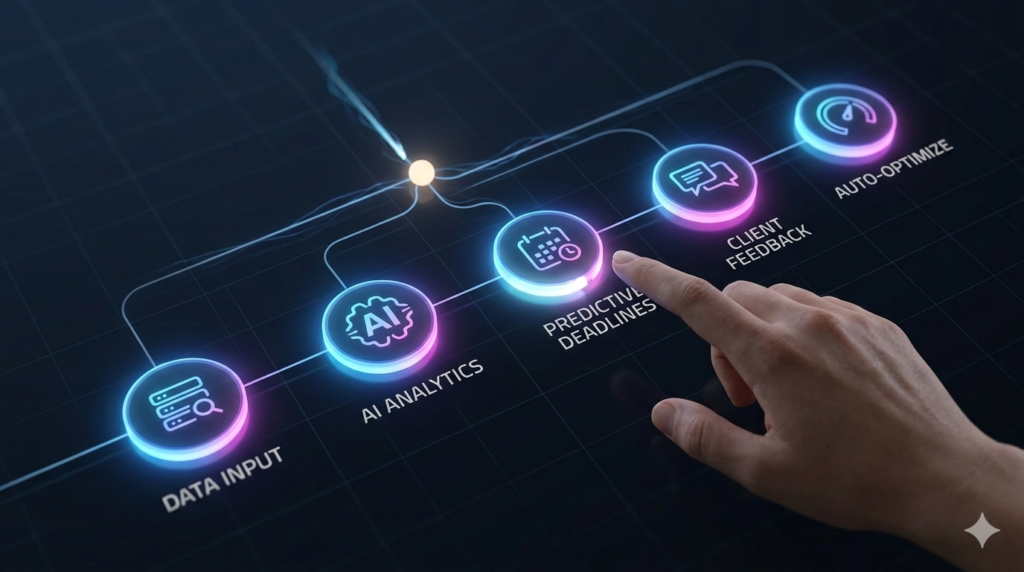
Using AI to analyze, predict, and optimize complex freelance project workflows.
Trello has long been a favorite for its Kanban boards, but with the integration of Strategy AI, it becomes a predictive tool. It helps you prioritize tasks based on their impact on your business goals rather than just their deadlines.
Predictive Deadlines
The AI analyzes your historical speed and current workload to predict if you are likely to miss a deadline. This early warning system allows you to communicate with clients proactively or adjust your schedule before it becomes a problem.
Workflow Optimization
It suggests ways to automate repetitive card movements. For example, once you upload a file to a “Review” column, the AI can automatically notify the client and move the card to “Pending Feedback.” This reduces the manual “drag and drop” overhead.
10. QuickBooks Live: AI-Powered Financial Management
Managing taxes and expenses is the least favorite part of freelancing. QuickBooks uses AI to automatically categorize your transactions and identify potential tax deductions. It ensures that your finances are as professional as your work.
Expense Tracking
By linking your bank accounts, QuickBooks’ AI sorts your expenses into the correct categories. This makes tax season a breeze because all the heavy lifting is done throughout the year. It also helps you see exactly how much profit you are making after expenses.
Cash Flow Forecasting
One of the biggest challenges for freelancers is inconsistent income. QuickBooks AI analyzes your past earning patterns and upcoming invoices to provide a cash flow forecast. This helps you plan for “lean” months and invest during “fat” months.
Practical Steps to Implementing Your AI Tech Stack
Starting with all ten tools at once can be overwhelming. The best approach is to identify your biggest bottleneck. If you spend too much time on emails, start with ChatGPT and Grammarly. If your struggle is with design, prioritize Canva and Midjourney.
- Step 1: Audit your current workflow for 1 week.
- Step 2: Identify the most repetitive and time-consuming tasks.
- Step 3: Select one tool from this list that addresses that specific pain point.
- Step 4: Master that tool for 30 days before adding the next one.
Mastering these technologies requires a mindset shift. You are no longer just a “doer”; you are an AI operator. Your value lies in how effectively you can direct these tools to produce results that delight your clients.
The Future of Freelancing in the AI Era
As we move toward the end of the decade, the line between software and human work will continue to blur. The freelancers who thrive will be those who can “prompt” their way to success. This doesn’t mean human creativity is obsolete; it means it has been liberated from the mundane.
By using The Top 10 AI Tools Every Freelancer Needs, you are building a future-proof career. You are moving from a model of trading “hours for dollars” to a model of providing “solutions and outcomes.” This is the ultimate goal of any successful freelancer.
Conclusion: Embrace the AI Revolution
In summary, integrating artificial intelligence into your freelance business is the most effective way to increase your output, improve your quality, and protect your mental health. From the versatile capabilities of ChatGPT to the financial precision of QuickBooks, each tool in this guide offers a unique advantage. The Top 10 AI Tools Every Freelancer Needs are not here to replace you—they are here to empower you.
The transition may seem daunting, but the rewards are undeniable. Start small, stay curious, and keep experimenting with new features as they are released. Your journey toward AI-augmented success begins with a single tool. Take action today, automate your workflow, and reclaim your time for the things that truly matter in your life and career.
For more insights on how to stay ahead in the digital economy, explore our other resources on AI productivity and online business strategies.
Frequently Asked Questions About The Top 10 AI Tools Every Freelancer Needs
Q1: Will using AI tools make my work look generic or “robotic”?
Not if you use them correctly. The key to maintaining a human touch while using The Top 10 AI Tools Every Freelancer Needs is the “Human-in-the-Loop” approach. Use AI to generate the foundation—like an outline, a basic design, or a code snippet—and then apply your unique perspective, expertise, and personal style to the final product. AI is a starting point, not a finish line. When you treat these tools as assistants rather than replacements, your work remains original and high-quality while benefiting from the speed of automation.
Q2: Are these AI tools expensive for a solo freelancer?
While some tools have premium tiers, most offer robust free versions or affordable “Pro” plans specifically designed for freelancers. For instance, Canva and ChatGPT have very capable free tiers. Other tools like Clockify are free for basic time tracking. When considering the cost, it is better to look at it as an investment in your business infrastructure. If a tool costs $20 a month but saves you five hours of work, it has already paid for itself by allowing you to take on more clients or focus on higher-paying projects.
Q3: Is it difficult to learn how to use these AI tools?
Most modern AI tools are designed with user-friendly interfaces that require very little technical knowledge. For example, Trello and Canva use intuitive drag-and-drop systems. The biggest learning curve is often “Prompt Engineering”—learning how to give the right instructions to the AI. Most of the tools mentioned in The Top 10 AI Tools Every Freelancer Needs also offer extensive tutorials and community forums. If you can use a smartphone and send an email, you can learn to use these tools effectively within a few days.
Q4: How do I choose which tool to start with?
The best way to choose is to perform a “Time Audit.” For one week, track every task you do and how long it takes. Identify the task that is both time-consuming and doesn’t require high-level creative thinking (like transcribing meetings or formatting invoices). Then, pick the tool from our list that automates that specific task. Starting with one tool and integrating it fully into your workflow is much more effective than trying to adopt five tools at once and feeling overwhelmed.
Q5: Is my client data safe when using these AI tools?
Data privacy is a valid concern. Most reputable tools like Notion, QuickBooks, and Grammarly have enterprise-grade security protocols. However, it is always a good practice to read the privacy settings of each tool. Avoid putting sensitive client information—like passwords or proprietary trade secrets—into general AI models like ChatGPT unless you are using a private “Team” or “Enterprise” version. Always check your client contracts to see if they have specific clauses regarding the use of AI tools in the delivery of their projects.
Q6: Can AI tools help me find new freelance clients?
Yes, indirectly. Tools like Jasper and ChatGPT can help you write better cold outreach emails, optimize your LinkedIn profile, and create high-quality portfolio content that attracts clients. Additionally, by using these tools to increase your efficiency, you can lower your turnaround times, leading to better reviews and more referrals. Some AI-driven job boards and platforms also use algorithms to match freelancers with the right projects, making the client acquisition process much smoother.
Q7: Do I need a powerful computer to run these AI tools?
No, most of The Top 10 AI Tools Every Freelancer Needs are cloud-based. This means the heavy processing happens on the company’s servers, not your local machine. You can use ChatGPT, Canva, and Notion on a basic laptop or even a tablet, as long as you have a stable internet connection. This makes AI tools incredibly accessible for freelancers who travel or prefer a minimalist hardware setup. Only specialized tools like local video rendering might require more hardware power.
Q8: What if the AI generates incorrect information?
This is known as “hallucination.” It is a known limitation of current AI models. This is why you must always verify the output, especially when it involves facts, statistics, or legal advice. Tools like Grammarly and ChatGPT are excellent assistants, but you are the final editor. Always fact-check the data provided by AI and ensure that it aligns with your professional standards. Over time, as you master “The Top 10 AI Tools Every Freelancer Needs,” you will get better at spotting and correcting these occasional errors.
Q9: Can these tools help me manage my freelance taxes?
Absolutely. QuickBooks Live is specifically designed to handle the financial complexities of being self-employed. Its AI helps categorize expenses as either personal or business, which is crucial for maximizing your tax deductions. It can also estimate your quarterly tax payments so you aren’t hit with a surprise bill at the end of the year. While it doesn’t replace a certified accountant for complex situations, it makes the day-to-day management of your freelance finances much more manageable.
Q10: How often are these AI tools updated?
The AI field moves incredibly fast. Most of the tools in The Top 10 AI Tools Every Freelancer Needs receive significant updates every few months. Companies like OpenAI (ChatGPT) and Canva are constantly adding new features and improving their algorithms. To stay at the “Mastery” level, it is helpful to subscribe to their newsletters or follow their official blogs. This ensures you are the first to know about new features that could further streamline your freelance business and keep you competitive.
Q11: Is ChatGPT better than specialized tools for writing?
It depends on your needs. ChatGPT is an excellent “Generalist” that can handle a wide variety of tasks. However, specialized tools like Jasper or Grammarly have features specifically designed for marketing frameworks or deep grammatical precision that ChatGPT might miss. In a professional freelance setup, many experts use a combination: they might use ChatGPT for brainstorming and Jasper for creating high-converting sales copy. Finding the right mix depends on your specific niche and workflow preferences.
Q12: Can AI help me scale my freelance business?
Yes, scaling is where AI truly shines. By automating the “busy work,” you free up 10-20 hours a week. You can use this time to take on more clients, raise your rates by offering higher-quality AI-augmented services, or develop your own digital products like courses or templates. AI allows you to maintain the “lean” structure of a solo freelancer while achieving the output and revenue levels typically associated with much larger teams. It is the ultimate tool for sustainable business growth.
https://yourtasksai.com/prompt-engineering-mastery-guide-seo/
https://yourtasksai.com/ai-productivity-systems-how-to-work-smarter-with-ai/
Pingback: How to Use ChatGPT for Content Creation That Converts - yourtasksai.com