
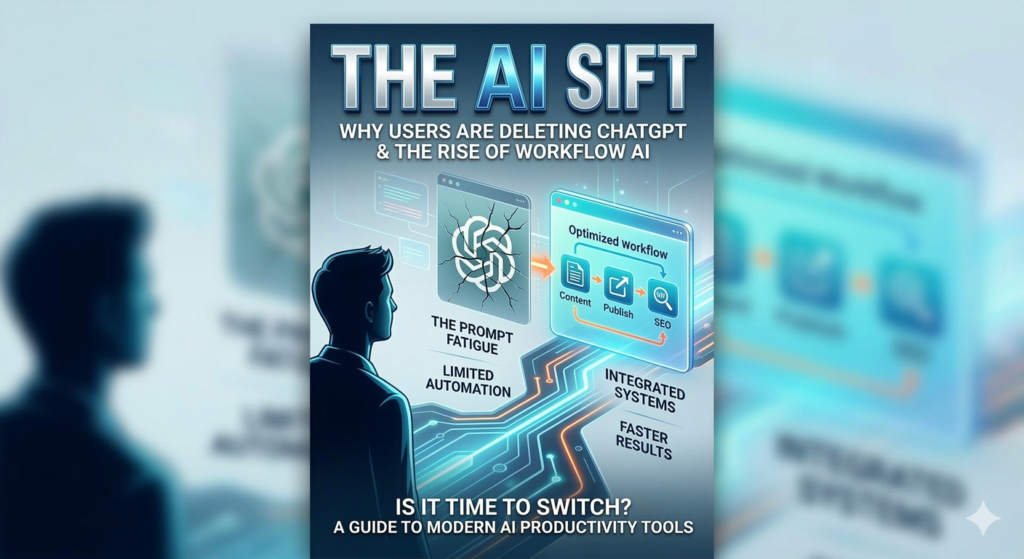
Visualizing the shift: moving from standalone chat tools to integrated AI workflow solutions.
Meta Description: Discover hidden AI tools inside apps you already use daily. Learn how everyday apps use artificial intelligence to boost productivity, automation, and work.
Artificial intelligence no longer lives only inside advanced tools. It now hides inside apps you open every day. Many people use these features without noticing them.
Recent studies show that over 80% of popular productivity apps now include artificial intelligence. Yet most users never explore these capabilities. They use only basic functions.
That is where the idea of The Hidden AI Tools Inside Apps You Already Use Every Day becomes important. Many apps already contain powerful AI tools that save time and improve productivity.
You may already use AI in your email app. Your phone camera likely uses it too. Even your note app may rely on machine learning.
The best part is simple. You do not need to install new software. These tools already exist in apps you trust.
This guide reveals the hidden AI features inside common apps. You will learn how they work and how to use them effectively.
By the end, you will unlock new productivity without changing your workflow.
Why Hidden AI Tools Matter for Everyday Productivity
Hidden AI tools improve daily work without requiring new habits.
Most companies integrate artificial intelligence into their apps quietly. They focus on improving user experience instead of advertising AI features.
As a result, many users never realize how powerful their apps already are.
These hidden features often help with:
- Writing assistance
- Smart suggestions
- Automation tasks
- Image recognition
- Data organization
Understanding these tools gives you a strong advantage.
Instead of doing repetitive work manually, you let AI assist your tasks.
For example, imagine writing emails each morning. AI can suggest replies instantly. This saves several minutes per message.
Over time, those minutes become hours.
Many professionals now rely on these invisible assistants to work faster.
Hidden AI Tools in Email Apps
Email platforms quietly added artificial intelligence years ago.
Today, most modern email apps include AI features that reduce time spent writing and sorting messages.
Smart Reply Suggestions
Smart reply tools generate quick responses automatically.
Instead of writing full emails, you can tap one suggestion.
Common suggestions include:
- “Thanks for the update.”
- “I will review this today.”
- “Let’s schedule a meeting.”
These replies come from machine learning models trained on millions of emails.
Real-world example:
A project manager receives fifty emails daily. Smart replies allow quick responses to routine messages. This cuts email time in half.
Automatic Email Categorization
AI also organizes your inbox automatically.
Email apps analyze message content and sender patterns.
They then sort emails into categories like:
- Primary messages
- Promotions
- Updates
- Social notifications
This organization reduces clutter.
You focus on important emails first.
Spam Detection Systems
Spam filters use AI to detect unwanted messages.
They analyze language patterns, links, and sender behavior.
Without AI, inboxes would flood with spam daily.
This system quietly protects millions of users.
Hidden AI Tools in Note Taking Apps
Note apps now include advanced AI writing tools.
These features help users capture ideas faster and organize information.
AI Writing Suggestions
Some note apps offer real time writing assistance.
The AI suggests sentence completions while you type.
This works similarly to predictive text on smartphones.
Example scenario:
A student writes lecture notes quickly. The AI predicts phrases and completes sentences. The process becomes faster.
Smart Organization Features
AI can organize notes automatically.
It identifies topics, keywords, and patterns.
Then it groups related notes together.
Features may include:
- Tag suggestions
- Automatic folders
- Topic summaries
These tools keep large note libraries organized.
Voice to Text Transcription
Speech recognition also relies on artificial intelligence.
You can speak instead of typing.
The AI converts speech into written notes instantly.
Real-world example:
A founder records ideas during a commute. The note app converts voice into text notes. Later, the founder edits and organizes them.
Hidden AI Tools in Photo and Camera Apps
Camera apps contain some of the most advanced hidden AI tools.
Smartphones use artificial intelligence to improve photos instantly.
Scene Recognition
AI analyzes the scene before you take a photo.
It identifies objects such as:
- Food
- People
- Landscapes
- Pets
The camera then adjusts settings automatically.
Lighting, color balance, and contrast improve instantly.
Portrait Mode Processing
Portrait mode relies on AI depth detection.
The system separates the subject from the background.
Then it adds blur effects similar to professional cameras.
Without AI, smartphones could not produce this effect.
Automatic Photo Organization
Photo apps also organize images using machine learning.
They detect faces, locations, and objects.
Your phone then creates albums automatically.
Example albums may include:
- Trips
- Pets
- Food photos
- Family members
Searching your photo library becomes much easier.
Hidden AI Tools in Messaging Apps
Messaging platforms also integrate artificial intelligence features.
These tools enhance communication and speed up conversations.
Predictive Text
Predictive text suggests the next word while you type.
The AI studies common language patterns.
It predicts the next word based on context.
This feature reduces typing time dramatically.
AI Emoji and Sticker Suggestions
Some messaging apps suggest emojis automatically.
The system reads the tone of your message.
Then it suggests matching emojis or stickers.
For example:
Typing “Happy birthday” may trigger celebration emojis.
These small features improve user experience.
Message Translation Tools
AI translation allows instant conversation between languages.
You send a message in one language. The app translates it instantly.
Real-world example:
Two colleagues speak different languages. The messaging app translates messages automatically.
Communication continues smoothly.
Hidden AI Tools in Productivity Apps
Productivity apps integrate AI features that automate work.
These hidden tools help users manage tasks and projects efficiently.
Smart Task Prioritization
AI analyzes deadlines and workload.
It then suggests task priorities.
Important tasks appear at the top of your list.
This helps users focus on high impact work.
Meeting Summaries
Some productivity apps summarize meetings automatically.
AI analyzes recorded conversations and creates summaries.
The summary may include:
- Key points
- Action items
- Decisions made
Example scenario:
A remote team records weekly meetings. AI generates summary notes immediately after the call.
Team members review key decisions quickly.
Automated Scheduling
AI scheduling assistants suggest meeting times.
They analyze calendar availability for all participants.
Then they propose optimal meeting slots.
This removes the back and forth email process.
Hidden AI Tools in Search and Browser Apps
Browsers and search engines rely heavily on artificial intelligence.
These systems help users find relevant information quickly.
Smart Search Predictions
Search bars predict queries as you type.
The system analyzes billions of searches daily.
It suggests the most common queries instantly.
This feature speeds up research dramatically.
Personalized Search Results
AI also personalizes search results.
The system learns your interests and search history.
Then it adjusts results accordingly.
Two people may search the same topic but see different results.
AI Page Summaries
Some browsers now summarize long web pages.
The AI extracts key points from the article.
This allows quick understanding of complex content.
Example:
A researcher scans ten articles quickly using AI summaries.
This saves hours of reading time.
How to Start Using Hidden AI Tools Today
Many people ignore these features because they seem invisible.
You can unlock them by exploring your apps carefully.
Start with a few simple steps.
Step 1: Explore App Settings
Many AI tools hide in settings menus.
Look for features like:
- Smart suggestions
- AI assistance
- Automatic organization
- Predictive text
Turning these features on may improve your workflow.
Step 2: Update Your Apps
Developers add AI tools frequently.
Older versions of apps may lack these features.
Updating apps ensures access to the latest capabilities.
Step 3: Experiment with AI Features
Try different features during daily work.
For example:
- Use smart email replies
- Test voice transcription
- Enable predictive writing
Small experiments reveal large productivity gains.
Step 4: Combine Multiple AI Tools
The real power appears when tools work together.
Example workflow:
- Capture idea using voice notes
- Organize notes automatically
- Generate email responses quickly
- Schedule meetings using AI assistants
This workflow reduces manual effort dramatically.
Conclusion
Artificial intelligence no longer lives only in specialized software. Many everyday apps now contain powerful hidden AI tools that improve productivity, automation, and organization.
Email platforms use AI to filter spam and suggest replies. Note apps organize ideas automatically. Camera apps enhance photos using scene recognition. Messaging tools translate conversations instantly.
These features work quietly in the background. Yet they can save hours every week when used correctly.
Exploring these hidden capabilities helps you unlock the full value of the apps you already use. Instead of searching for new tools, you can activate the AI already available in your workflow.
The next section answers common questions about hidden AI tools and how they work.
Frequently Asked Questions About The Hidden AI Tools Inside Apps You Already Use Every Day
Q1: What are hidden AI tools inside everyday apps?
Hidden AI tools inside everyday apps are artificial intelligence features built into common software. These tools operate in the background and improve tasks automatically. Examples include smart email replies, photo recognition, and predictive typing. Most users interact with these features daily without noticing them. Developers integrate them to improve efficiency and user experience.
Q2: How do hidden AI tools improve productivity?
Hidden AI tools improve productivity by automating repetitive tasks. They help with writing, organizing information, and scheduling activities. For example, AI email replies reduce writing time. Smart task prioritization helps users focus on important work. Over time, these small improvements save many hours each week.
Q3: Why do many apps hide their AI features?
Many apps hide their AI features because companies focus on user experience rather than technology marketing. Developers want tools to feel natural and simple. When AI works quietly in the background, users enjoy smoother interactions. This design approach keeps apps easy to use while still providing powerful automation.
Q4: Can hidden AI tools replace manual work completely?
Hidden AI tools cannot replace all manual work. However, they reduce repetitive tasks significantly. For example, AI can categorize emails automatically and suggest responses. Users still review the content before sending messages. The goal of hidden AI tools is assistance rather than full replacement.
Q5: How can you find hidden AI tools in your apps?
You can find hidden AI tools by exploring app settings and feature menus. Look for terms like smart suggestions, automation, or predictive assistance. Many apps also provide help sections that explain AI features. Testing different settings helps reveal powerful capabilities.
Q6: What apps commonly include hidden AI tools?
Many common apps include hidden AI tools. Examples include email apps, messaging platforms, note taking apps, camera apps, and productivity tools. Search engines and browsers also rely heavily on artificial intelligence. These systems analyze user behavior and improve results automatically.
Q7: Is artificial intelligence safe in everyday apps?
Artificial intelligence in everyday apps usually follows strict privacy and security rules. Companies design these systems to protect user data. However, users should still review privacy settings and permissions. Limiting data sharing can improve security while still using AI features.
Q8: How do hidden AI tools learn user behavior?
Hidden AI tools learn patterns from user interactions and large datasets. Machine learning algorithms analyze behavior over time. They identify patterns such as writing style, search habits, or communication patterns. This information helps the system provide better suggestions.
Q9: Can beginners easily use hidden AI tools?
Beginners can easily use hidden AI tools because most features work automatically. Users rarely need technical knowledge. Simple actions like enabling predictive text or voice transcription activate the AI. This accessibility makes everyday apps more powerful for everyone.
Q10: How will hidden AI tools evolve in the future?
Hidden AI tools will become more advanced and personalized. Future apps may predict user needs before tasks begin. AI assistants may organize work, generate content, and automate communication. These improvements will transform everyday productivity tools into intelligent assistants.