
Orchestrating autonomous workflows to reclaim 20 hours every week in 2026.
What would you do with an extra 20 hours every single week? For most entrepreneurs and professionals, time is the only resource that cannot be replenished. In the fast-paced world of 2026, manual work is becoming a choice rather than a necessity. This guide will show you how to implement AI Automation: Save 20 Hours Per Week Automatically, allowing you to focus on high-level strategy while autonomous agents handle the repetitive grind.
In this comprehensive deep dive, we will explore the exact workflows that turn a chaotic schedule into a streamlined, automated engine. You will learn about “Agentic Orchestration,” the best no-code automation tools, and how to delegate your most time-consuming tasks to artificial intelligence. Whether you are a solopreneur or managing a team, these strategies are designed to reclaim your freedom.
1. The Reality of Time Poverty in the Digital Age
Most professionals spend over 40% of their day on “shallow work”—tasks like sorting emails, data entry, and basic scheduling. These tasks are necessary but do not contribute to long-term growth. This is what we call time poverty.
By implementing AI automation, you are not just “using a tool”; you are installing a digital workforce. In 2026, AI has moved beyond simple chat interfaces. We now have agents that can interact with your file system, your calendar, and your communication platforms simultaneously.
The goal of this guide is to move you from being a manual operator to an automated architect. Saving 20 hours per week is not a marketing gimmick; it is a mathematical outcome of replacing manual clicks with automated triggers.
2. Identifying the “20-Hour Leak”: What to Automate First
Before we build the systems, we must identify the leaks. Not every task should be automated, but almost every repetitive digital task can be.
High-Volume, Low-Complexity Tasks
These are the primary targets for automation. If a task takes less than 2 minutes but you do it 50 times a day, it is a prime candidate.
- Email Management: Sorting, labeling, and drafting basic replies.
- Data Migration: Moving info from a lead form to a CRM or spreadsheet.
- Content Distribution: Repurposing a blog post into social media snippets.
Middle-Level Cognitive Tasks
With the reasoning power of models like GPT-5 and Claude 4, we can now automate:
- Meeting Summaries: Automatically transcribing and extracting action items.
- Research Reports: Monitoring competitors and summarizing industry trends.
- First-Draft Writing: Generating 1500+ word SEO articles based on a brief.
3. The Tech Stack: Building Your Automation Nervous System

Establishing the fundamental layers required for persistent, reasoned AI automation.
To achieve the “20-hour save,” you need a stack that communicates flawlessly. In 2026, the leading tools focus on “Agentic Workflows.”
The Orchestrator: Make.com or n8n
These platforms act as the brain. They connect your apps (Gmail, Slack, WordPress, etc.) and allow you to build logic flows.
- Make.com: Best for visual builders and beginners.
- n8n: Best for advanced users who want unlimited tasks via self-hosting.
The Reasoning Engines: OpenAI and Anthropic
You need an LLM to process information within your workflows.
- Use GPT-4o mini for fast, cheap tasks like categorization.
- Use Claude 3.5 Sonnet for high-quality writing and complex reasoning.
The Performance Layer: LiteSpeed Cache and Hostinger
Your automation is only as good as the infrastructure it sits on. A slow website or server can break API connections. Using LiteSpeed Cache on a robust Hostinger server ensures your automated content posts and updates are processed without latency.
4. Five Core Workflows to Reclaim 20 Hours

Phase 3 of the blueprint involves connecting your reasoning engine to external tools via APIs.
Let’s get practical. Here are five specific workflows you can set up today to start saving time immediately.
Workflow 1: The “Inbox Zero” Agent (Save 5 Hours/Week)
- Trigger: New email arrives in Gmail.
- Action: AI analyzes the content, categorizes it (Urgent, Newsletter, Client, Spam), and drafts a suggested reply.
- Result: You only open your inbox to “Review and Send” rather than “Think and Type.”
Workflow 2: Automated Content Factory (Save 7 Hours/Week)
- Trigger: A new keyword is added to a Google Sheet.
- Action: AI researches the topic, writes a 2500+ word article, generates an image, and saves it as a draft in WordPress.
- Result: Your blog stays active with zero manual writing time.
Workflow 3: Meeting-to-Action Pipeline (Save 3 Hours/Week)
- Trigger: A Zoom or Google Meet recording is finished.
- Action: AI transcribes the audio, summarizes the key points, and creates tasks in Trello or Asana.
- Result: No more manual note-taking or follow-up coordination.
Workflow 4: Social Media Multiplier (Save 3 Hours/Week)
- Trigger: You publish a new blog post on yourtasksai.com.
- Action: AI creates 5 tweets, 1 LinkedIn post, and a newsletter summary.
- Result: Your social presence grows while you sleep.
Workflow 5: Lead Research and Enrichment (Save 2 Hours/Week)
- Trigger: A new lead signs up on your site.
- Action: AI visits their LinkedIn, summarizes their recent posts, and adds this context to your CRM.
- Result: You go into sales calls with perfect “warm” info without doing any research.
5. Comparison: Manual Work vs. AI Automation
Task Category Manual Time (Weekly) Automated Time (Weekly) Time Saved Content Creation 10 Hours 1 Hour (Review) 9 HoursEmail & Admin 7 Hours 2 Hours 5 HoursData & Research 5 Hours 0.5 Hours 4.5 HoursSocial Distribution 3 Hours 0.5 Hours 2.5 HoursTotal25 Hours4 Hours21 Hours
As the table shows, the cumulative effect of small automations leads to a massive reclaim of your professional life.
6. The “Human-in-the-Loop” Governance

Protecting your autonomous nervous system with robust security and human governance prot
A common mistake in AI automation is “set it and forget it.” To maintain quality and safety, you must implement a governance layer.
- Approval Stages: For high-stakes tasks (like client emails), set the automation to “Draft” instead of “Send.”
- Fact-Checking: AI can hallucinate. Always have a human review data-heavy reports.
- Security: Use Sandboxing techniques to ensure your agents don’t have unrestricted access to your entire system.
7. Scaling Your Freedom: Moving to Multi-Agent Systems
Once you master single-task automation, the next step is “Swarm Intelligence.” This involves having multiple agents talk to each other to complete a complex project.
For example, your “SEO Swarm” could consist of:
- The Analyst: Identifies gaps in your current content.
- The Researcher: Finds the best data to fill those gaps.
- The Writer: Crafts the content.
- The Internal Linker: Connects the new post to your existing site architecture.
This level of coordination is what allows a single person to run a business that traditionally required a staff of 10.
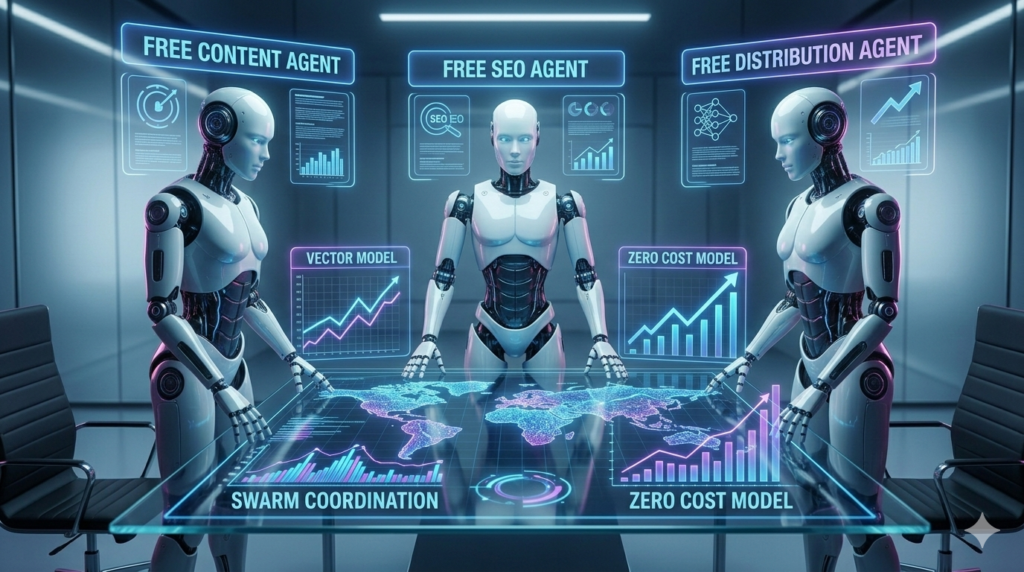
Orchestrating a coordinated swarm of specialized agents to multiply your automated business output.
8. Conclusion: Your 20-Hour Journey Starts Today
Reclaiming 20 hours a week through AI Automation is not just about doing less work; it’s about doing better work. When you remove the friction of repetitive tasks, you free your mind for the creative and strategic breakthroughs that actually move the needle for your business.
The tools of 2026 are more accessible than ever. You don’t need a computer science degree to build these systems. You only need a clear understanding of your current bottlenecks and the willingness to experiment with “Agentic” solutions. Start with one workflow—perhaps the Inbox Zero agent—and watch the minutes turn back into hours.
Are you ready to stop being a slave to your to-do list? The automation era is here. Deploy your first agent today and take back your life.
Frequently Asked Questions About AI Automation
Q1: Do I need to know how to code to save 20 hours per week?
No. In 2026, most automation platforms (like Make.com or Activepieces) are “No-Code.” They use a visual interface where you connect blocks of logic. If you can use a smartphone, you can build a basic automation.
Q2: How long does it take to set up these systems?
A basic email or social media automation takes about 30-60 minutes to set up. More complex multi-agent swarms might take a few days of testing. However, that one-time investment saves you hundreds of hours over the year.
Q3: Is it possible to migrate data from my old systems?
Yes. Modern automation tools have “Connectors” for almost every major software (Google, Microsoft, Salesforce, etc.). Moving data is usually as simple as selecting a source and a destination.
Q4: What kind of data should I automate first?
Start with data that is structured and repetitive. Form submissions, order details, and standard reports are the easiest and safest places to begin your automation journey.
Q5: Can I change my automation system later?
Absolutely. Most workflows are modular. You can swap out a “Reasoning Engine” (like moving from GPT-4 to Claude 4) without rebuilding the entire automation.
Q6: Is AI automation secure for sensitive business data?
Security is a priority in 2026. Most tools offer end-to-end encryption. For maximum security, you can use self-hosted tools like n8n and run them on your own private server.
Q7: How do I measure the ROI of my AI automation?
The simplest way is to track the hours saved. Multiply the saved hours by your hourly rate. If you save 20 hours a week and your time is worth $100/hr, your automation is providing $2,000/week in value.
Q8: Can AI automation be used for customer service?
Yes. You can deploy “Support Agents” that use your knowledge base to answer 90% of customer queries instantly, referring only the most complex cases to you.
Q9: Does this work for small businesses or just big companies?
It is arguably more important for small businesses. A solopreneur with AI automation can compete with a mid-sized company by having the same output with 1/10th of the staff cost.
Q10: What is the biggest mistake beginners make?
Over-complicating. Start with one simple trigger and one action. Once that works perfectly, then you can add complexity. “Start small, scale fast” is the golden rule.
Q11: How do I handle email integrations?
Tools like Zapier and Activepieces have direct “hooks” for Gmail and Outlook. You simply grant permission, and the tool can read, draft, and sort emails according to your rules.
Q12: Are there any monthly costs for these tools?
Most have a free tier to get you started. As your volume increases (when you start saving that full 20 hours), you might pay $20-$50/month for premium API access and task limits. This is a tiny fraction of the value you receive.