
High Performance for Zero Dollars: The Ultimate Free AI Toolkit for Modern Business.
Meta Description: Discover free AI tools that perform like $500/month subscriptions. Save money while scaling your business with these powerful, no-cost artificial intelligence solutions.
Are you tired of paying hundreds of dollars for software every month? Many business owners spend over $6,000 a year on various AI subscriptions. This is a massive drain on your profit margins. What if you could get the same results for exactly zero dollars? It sounds impossible, but the world of open-source AI has changed everything. You can now access world-class technology without opening your wallet.
In this comprehensive guide, you will learn about AI tools that cost $0 but perform like $500/month subscriptions. We will look at tools for writing, design, video, and automation. You will see how to replace expensive corporate apps with free alternatives. I will show you how to stack these tools to build a high-revenue business. By the end, you will have a full toolkit to grow your brand for free.
The secret lies in knowing where to look and how to use these tools. High-performance AI is no longer hidden behind a paywall. Developers around the world are releasing free models that rival big tech products. You just need to know which ones are worth your time. Let’s start by looking at the brain of your operations: the language models.
The Secret World of High-Performance Free Language Models

Instantaneous Output: Leveraging Groq’s high-speed open-source models for professional writing.
Many people believe that the best AI writing only comes from paid plans. They think they must pay for ChatGPT Plus or Claude Pro. This is a common misconception in the digital world. Open-source models are now catching up to their paid competitors very quickly. You can access these models through free platforms that offer incredible speed.
Free tools often provide the same reasoning capabilities as $20 per month services. You just need to use the right interface to access them. These models can handle complex strategy, coding, and creative writing. They allow you to scale your content without adding to your monthly bills. This is the first step toward a zero-cost business stack.
Transitioning to free alternatives requires a bit of curiosity. You have to step away from the most famous brand names. Once you do, a world of high-speed performance opens up to you. You can run your entire marketing department using these hidden gems. Let’s explore the specific platforms that make this possible right now.
Using Groq for Blazing Fast AI Responses
Groq is a game-changer for anyone who needs speed and accuracy. It is a platform that hosts open-source models like Llama 3. The response speed is almost instant. While ChatGPT might take seconds to think, Groq responds in milliseconds. This saves you valuable time during a busy workday.
- Unmatched Speed: Get your answers faster than you can read them.
- High-End Models: Access the latest versions of Meta’s Llama models.
- Zero Cost: Use the platform for free without any hidden subscription fees.
- Clean Interface: Focus on your work without distracting ads or pop-ups.
Consider a freelance writer who needs to generate 50 social media posts. Using a slow tool could take an hour of waiting. With Groq, the posts appear almost instantly. This allows the writer to finish their work in half the time. They can then take on more clients and increase their income.
Hugging Face: The Library of Infinite Free AI
Hugging Face is like the “GitHub” of the artificial intelligence world. It hosts thousands of free models for every task imaginable. You can find tools for image generation, text analysis, and translation. Most of these models are free to test in their “Spaces” section. It is a playground for high-level technology.
- Variety: Choose from thousands of specialized AI models.
- Testing Grounds: Try models before you download or integrate them.
- Community Driven: Benefit from the work of the best AI researchers globally.
- Specialized Tasks: Find tools specifically for medical, legal, or technical writing.
A small business owner wants to translate their website into five languages. Instead of hiring a translator, they find a specialized model on Hugging Face. The AI provides a translation that is 95% accurate. The owner then does a quick final check. They saved thousands of dollars in professional translation fees.
Professional Design and Visuals for Zero Dollars
Graphic design used to be a major expense for startups. You had to pay for Adobe Creative Cloud or high-end AI image generators. Now, AI tools that cost $0 but perform like $500/month subscriptions include design suites. You can create stunning visuals that look like they came from a pro studio. These tools use the latest diffusion models to generate art.
Visual content is essential for social media and website engagement. People respond much better to high-quality images than to plain text. Free AI tools allow you to create these images in seconds. You no longer need to rely on boring stock photography. Every image you create can be unique to your brand.
Stacking free design tools can replace an entire creative team. You can generate the image, remove the background, and add text using different free apps. This workflow is fast and highly efficient. It gives you total control over your brand’s visual identity. Let’s look at the best free alternatives for image generation.
Leonardo.ai: The Best Free Tier in the Industry
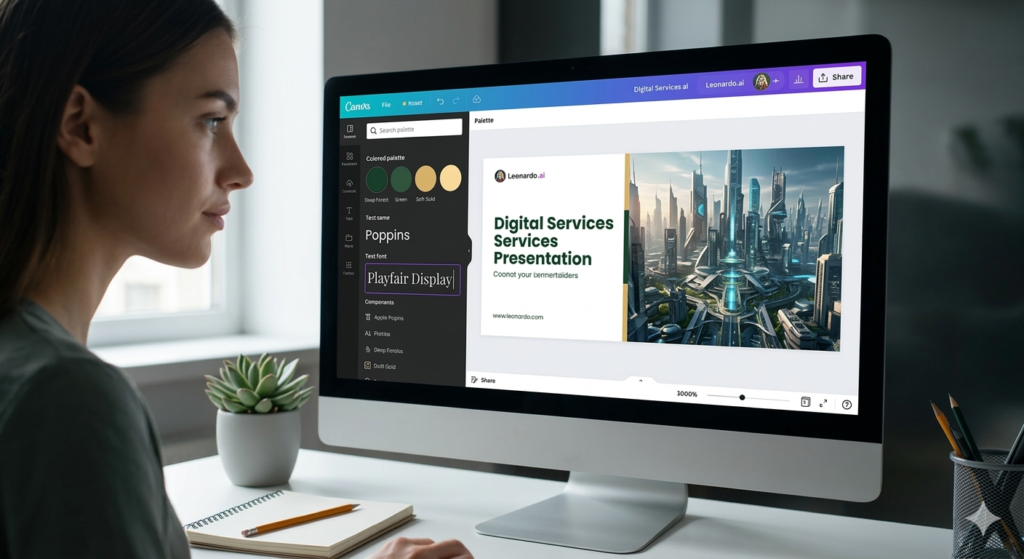
Free Design Studio: Creating stunning, high-resolution visual assets using Leonardo’s generous free daily credits.
Leonardo.ai offers one of the most generous free plans available today. You get a set amount of credits every single day for free. These credits allow you to generate dozens of high-quality images daily. The quality rivals paid tools like Midjourney or DALL-E 3. It also offers a user-friendly interface with many controls.
- Daily Refills: Your credits reset every 24 hours so you never run out.
- Fine-Tuned Models: Choose from different artistic styles like 3D or photorealistic.
- Canvas Editor: Edit parts of your image directly within the tool.
- Prompt Guidance: Get help writing better prompts to get perfect results.
Imagine a blog owner who needs a unique header image for every post. Instead of paying for a Midjourney subscription, they use Leonardo. They spend five minutes generating the perfect image for free. Over a year, this saves them over $300 in subscription costs. Their blog looks professional and stays within a strict budget.
Playground AI: Simple and Powerful Design
Playground AI is another fantastic tool for creating professional graphics. It allows you to generate up to 50 images per day for free. This is more than enough for most small businesses and creators. The platform is very intuitive and easy for beginners to master. You can create everything from logos to social media ads.
- High Volume: Generate 50 images every day without paying a cent.
- Mixed Models: Use different AI engines to find the best style.
- Social Integration: See what other people are creating for inspiration.
- Image Upscaling: Make your images larger and clearer for print or web.
A YouTuber wants to create eye-catching thumbnails for their channel. They use Playground AI to generate a dramatic background for their video. They then use a free background remover for their own photo. The final result looks just as good as a professional design. Their click-through rate increases without any extra spending.
High-Quality Video and Audio Editing Without the Cost

Professional Video Production: CapCut’s desktop AI tools remove standard editing bottlenecks for free.
Video content is the king of marketing in 2026. However, professional video editing software can be very expensive. Tools like Premiere Pro or Final Cut cost a lot of money every month. Fortunately, AI tools that cost $0 but perform like $500/month subscriptions exist for video too. You can edit, add subtitles, and even generate voiceovers for free.
Artificial intelligence has simplified the video editing process significantly. AI can now cut out silences, add captions, and improve lighting automatically. This used to take hours of manual work by a skilled editor. Now, a free tool can do it in a few clicks. This allows you to produce more video content with less effort.
Audio quality is just as important as video quality. Poor audio will make viewers click away from your content instantly. Free AI tools can remove background noise and make you sound like a pro. You don’t need a $1,000 microphone to get high-quality sound. Let’s explore the free tools that can handle your multimedia needs.
CapCut Desktop: The Ultimate AI Video Suite
CapCut is much more than just a mobile app for TikTok. The desktop version is a professional-grade editor with powerful AI features. It includes auto-captions, background removal, and AI-powered color grading. Most of these features are completely free to use. It is perfect for creating YouTube videos, ads, and social clips.
- Auto-Captions: Generate subtitles for your videos in seconds with high accuracy.
- AI Effects: Add trendy transitions and effects that look professionally made.
- Background Removal: Remove the background of a video without a green screen.
- Smart Trimming: Let the AI find the best parts of your footage automatically.
A small business owner wants to start a TikTok channel to sell products. They use CapCut to edit their videos on their computer. They use the auto-caption feature to make their videos accessible. The AI color correction makes their phone footage look like it was shot on a pro camera. They achieve viral growth without spending money on an editor.
ElevenLabs Free Tier for Realistic Voiceovers
ElevenLabs is famous for its incredibly realistic AI voices. While they have paid plans, their free tier is quite generous for small projects. You can generate high-quality speech from text in dozens of languages. It is perfect for narrating videos or creating audio versions of your blog posts. The voices sound human and emotional, not like robots.
- High Realism: Use voices that sound exactly like real human beings.
- Multi-Language Support: Create content for a global audience easily.
- Voice Cloning: Create a digital version of your own voice for free.
- Easy Export: Download your audio files in high-quality formats.
A digital marketer needs to create an ad for a client but doesn’t have a voice actor. They use ElevenLabs to generate a professional-sounding narration. The client is impressed by the quality and the speed of the work. The marketer saves the cost of hiring a voice-over artist. This increases their profit on the project significantly.
Automation and Productivity: Building Workflows for Free

Unlimited Scalability: Using the fair-code n8n platform to build complex business automations without task limits.
Automation is the secret to scaling a business without hiring a team. Most people use Zapier for this, but Zapier can become very expensive quickly. AI tools that cost $0 but perform like $500/month subscriptions include automation platforms. You can connect your apps and move data without any manual work. This allows your business to run in the background while you sleep.
Free automation tools often offer more flexibility than their paid rivals. You can build complex paths and logic without hitting “task limits.” This is essential for businesses with high volumes of data. You can automate your lead generation, customer support, and social media posting. The time you save can be spent on high-level growth strategies.
The key to free automation is often “self-hosting” or using open-source versions. This might sound technical, but it is easier than ever to set up. There are also cloud-based free tiers that are very generous. Let’s look at how you can automate your entire workflow for zero cost.
n8n: The Powerful Open-Source Alternative to Zapier
n8n is a fair-code automation tool that you can host yourself for free. It allows you to build complex workflows with a visual interface. Unlike Zapier, you don’t pay per task. This means you can run thousands of automations every day for $0. It connects to hundreds of popular apps like Google Sheets, Slack, and Discord.
- No Task Limits: Run as many automations as your computer can handle.
- Visual Workflow: Build your systems by connecting nodes on a screen.
- Deep Integrations: Connect to almost any app with a public API.
- Data Privacy: Keep your data on your own server instead of the cloud.
A real estate agent wants to automate their lead follow-up system. They use n8n to connect their website form to their email and CRM. Every time someone asks for a viewing, the AI sends a personalized reply. The agent never misses a lead, and they don’t pay a monthly automation fee. This system handles their entire sales funnel automatically.
Make.com Free Tier for Simple Connections
If you don’t want to host your own software, Make.com offers a great free plan. It is very visual and easier to learn than n8n for beginners. You get 1,000 tasks per month for free, which is ten times more than Zapier. It is perfect for connecting your Shopify store to your social media or email. The interface allows you to see exactly how your data is moving.
- Generous Free Plan: Get 1,000 tasks every month without any cost.
- Visual Editor: See your business logic in a clear, beautiful map.
- Advanced Logic: Use filters and routers to create smart automations.
- Pre-Built Templates: Start with a template to save time on your setup.
An e-commerce owner uses Make.com to sync their sales with a Google Sheet. Every time someone buys a product, the data is added to the sheet for tracking. The owner can see their total revenue in real-time without any manual entry. This free automation saves them three hours of bookkeeping every week. They use that time to find new products to sell.
Coding and Development: Free AI Pair Programmers
Building a website or an app used to require a professional developer. Developers are expensive and can take a long time to deliver results. AI tools that cost $0 but perform like $500/month subscriptions have changed the coding world. You can now use AI to write code, fix bugs, and build full websites. These tools act as a senior developer sitting right next to you.
Even if you are not a “coder,” these tools can help you. You can describe what you want in plain English, and the AI writes the code. This allows you to build custom tools for your business that didn’t exist before. You can create custom calculators, dashboards, or automation scripts. This gives you a massive technical advantage over your competitors.
The best free coding tools are often extensions for your text editor. They learn from your specific project and provide relevant suggestions. This is much faster than searching for code snippets on Google. Let’s look at the best free alternatives to expensive AI coding assistants.
Codeium: The Best Free Alternative to GitHub Copilot
GitHub Copilot costs $10 or $20 a month, but Codeium is free for individuals. It is an AI extension that works inside VS Code and other editors. It provides real-time code completions and explains complex logic. It supports over 70 programming languages and is incredibly fast. It is a must-have tool for anyone doing technical work.
- Zero Cost for Individuals: Get pro-level coding help for $0 per month.
- Super Fast AI: See suggestions as you type without any lag.
- AI Chat: Ask questions about your code and get instant explanations.
- Wide Support: Use it with almost any programming language or editor.
A marketing manager wants to add a custom lead-capture form to their website. They don’t want to pay a developer $500 for a simple task. They use Codeium to write the HTML and CSS for the form. The AI explains how to connect the form to their email system. The manager builds the feature themselves in one evening for free.
Cursor: A Full AI-Integrated Code Editor
Cursor is a fork of VS Code that has AI built into its core. It allows you to “chat” with your entire codebase at once. You can ask it to “find the bug in this file” or “refactor this function.” The free tier is very powerful and gives you access to high-end models. It makes coding feel like a conversation rather than a struggle.
- Context Awareness: The AI understands your whole project, not just one file.
- AI Refactoring: Clean up your code and make it faster with one click.
- Error Correction: The AI finds and fixes errors before you even run the code.
- Beginner Friendly: Makes it easier for non-coders to understand and write code.
A solopreneur wants to build a simple mobile app for their community. They use Cursor to guide them through the development process step-by-step. The AI writes the majority of the code and helps them fix every error. They launch their app in two weeks without spending a dollar on development. This app becomes a new source of income for their business.
How to Stack These Tools for Maximum Business ROI
Knowing about these tools is only half the battle. The real power comes from combining them into a “free business stack.” You can create a workflow that replaces a $500 per month expense. This allows you to reinvest your savings into growth and advertising. A lean business is a profitable business in the long run.
Start by using Groq or Hugging Face to develop your business strategy. Use Leonardo.ai or Playground AI to create your entire brand identity. Set up your video marketing using CapCut and ElevenLabs for voiceovers. Finally, connect everything with n8n or Make.com to run it on autopilot. This is how you build a modern, AI-powered company for zero cost.
You should always be on the lookout for new free tools. The AI space moves incredibly fast, and new models are released every week. By staying updated, you can always have the best technology for free. This gives you a permanent competitive advantage in your niche. Let’s look at how to maintain this stack efficiently.
Managing Your Free AI Workflow
A free stack requires a bit more organization than a single paid app. You need to keep track of your different accounts and credit limits. Using a simple dashboard or a Notion page can help you manage this. You can also use free browser extensions to keep your tools organized. This prevents you from getting overwhelmed by the number of apps you use.
- Centralize Your Prompts: Keep your best prompts in one place to use across tools.
- Monitor Credit Resets: Know when your free daily credits are available.
- Stay Updated: Follow AI news to find new free alternatives as they launch.
- Backup Your Data: Ensure your automated data is backed up in a free cloud drive.
A consultant uses a free stack to manage ten different clients. They use a Notion page to store their client research from Groq. They use Canva and Leonardo for client presentations. Their total monthly software bill is $0, but they charge $5,000 in fees. This high profit margin allows them to work less and enjoy life more.
The Future of Free AI and Your Business
The trend toward free, high-performance AI is only going to grow. Open-source models are becoming more efficient every day. This means you can run them on smaller computers or for lower costs. Big tech companies are also feeling the pressure to offer better free tiers. This is great news for every entrepreneur and creator.
Using AI tools that cost $0 but perform like $500/month subscriptions is a smart strategy. It allows you to build and test ideas without any financial risk. If an idea fails, you haven’t lost any money on software. If it succeeds, your profit margins are already maximized from day one. This is the ultimate “win-win” scenario for business growth.
In this article, we have covered the best tools for every business task. You now have a roadmap to replace expensive subscriptions with free alternatives. You can write, design, edit, and automate like a pro for zero dollars. The only thing left to do is to start using these tools today. Don’t wait for a bigger budget to start your dream business.
Frequently Asked Questions About AI Tools That Cost $0 but Perform Like $500/Month Subscriptions
Q1: Is it really possible to get pro results from free AI tools?
Yes, it is absolutely possible to get professional results for free. Many free tools use the same underlying technology as the paid versions. For example, Groq gives you access to the same Llama 3 models that companies pay thousands to integrate. The key is in how you use the tool and the prompts you provide. With a bit of practice, your work will be indistinguishable from someone using paid software.
Q2: Why are these companies offering such powerful tools for free?
Companies offer free tiers to attract users and build a community. Many are open-source projects that want to democratize access to technology. Others use a “freemium” model where they hope you will upgrade later as you grow. For you, this means you can enjoy top-tier features while you are still in the growth phase. It is a marketing strategy that benefits the user significantly.
Q3: Are these free AI tools safe to use with my business data?
Most reputable AI tools, like those mentioned in this article, have strong privacy policies. However, you should always be careful with sensitive personal or financial information. If you use open-source tools like n8n, you can host them yourself. This means your data never leaves your own computer or server. Always check the settings to see if you can “opt-out” of data training.
Q4: How do I know which free AI tool is right for my business?
The best way to find out is to try them for a specific project. Start with one area, like design, and see if Leonardo.ai meets your needs. If it doesn’t, try Playground AI or another alternative. Most of these tools have very small learning curves. You can usually tell within 30 minutes if a tool will work for your specific business workflow.
Q5: Will these free tools always remain free?
While some tools might change their pricing, others will always have a free tier. The open-source community is constantly releasing new models that are free forever. If one tool becomes paid, a new free alternative usually appears shortly after. By staying flexible and updated, you can always find a $0 solution for your needs. The trend is actually toward AI becoming cheaper and more accessible over time.
Q6: Do I need a powerful computer to run these free AI tools?
No, most of these tools run in the cloud. This means the heavy lifting is done on their servers, not your computer. You just need a standard web browser and an internet connection. Some tools like n8n can be hosted on a cheap cloud server or an old laptop. This makes high-end AI accessible to everyone, regardless of their hardware.
Q7: Can I use these free tools for commercial purposes?
Most of the tools mentioned, like Leonardo.ai and CapCut, allow for commercial use in their free tiers. However, you should always check the specific “Terms of Service” for each tool. Some might require a small attribution or have limits on how many commercial images you can make. In general, they are very friendly to small businesses and creators.
Q8: How can I learn to use these tools if I am not tech-savvy?
The best way to learn is by doing and watching free tutorials on YouTube. Most of these tools have very active communities that share tips and tricks. Because they are popular, you can find a guide for almost any task you want to perform. Start with a simple task, like generating one image, and build your skills from there. You will be surprised at how intuitive they are.
Q9: Which tool is the best for a total beginner?
Canva and CapCut are the most beginner-friendly tools on this list. They feature “drag and drop” interfaces that anyone can understand. ChatGPT is also very easy to use since you just type like you are talking to a friend. As you get more comfortable, you can move on to more advanced tools like n8n or Cursor. Start with the ones that feel most natural to you.
Q10: How do I stay updated on new free AI tools?
You can follow AI news sites, join Discord communities, or follow experts on social media. Many creators share “tool roundups” every week where they highlight new free apps. Setting a “Google Alert” for “free AI tools” can also help you stay ahead of the curve. The AI community is very open and loves to share new discoveries. Staying curious is your best strategy for finding the next big free tool.“`