
AI Productivity Systems: How to Work Smarter With AI
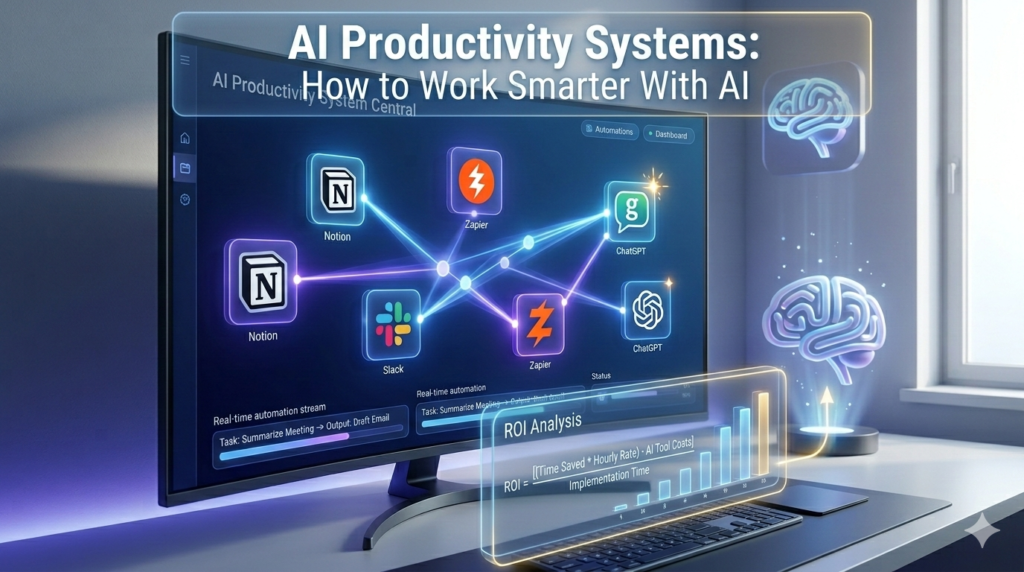
Visualizing an integrated AI Productivity System where multiple agents work together to automate complex business workflows in 2026
Are you busy, or are you productive? In an era where information moves at the speed of light, the traditional “to-do list” is no longer enough to keep up. Most professionals spend 60% of their day on “work about work”—answering repetitive emails, formatting documents, and toggling between apps.
AI Productivity Systems are the solution to this modern burnout. This guide explores how to move beyond using AI as a simple chatbot and instead build a cohesive system where AI agents and automated workflows handle the heavy lifting. By the end of this article, you will learn how to architect a personalized AI ecosystem that scales your output without increasing your hours.
## Understanding the Shift: From AI Tools to AI Systems
Most people use AI as a vending machine: you put in a prompt, and you get an answer. While helpful, this is “linear productivity.” To truly work smarter, you must transition to “systemic productivity.”
An AI Productivity System is a networked environment where different AI tools communicate, share data, and execute multi-step tasks with minimal human intervention. Instead of you prompting ChatGPT to summarize a meeting, your system automatically records the call, extracts action items, updates your project manager (like Notion or Asana), and drafts follow-up emails.
Key Concept: The Three Pillars of AI Productivity
- Capture: Using AI to ingest data from voice, text, and meetings instantly.
- Process: Using LLMs to categorize, synthesize, and prioritize that data.
- Execute: Using AI Agents and automation to perform actions based on data.
## Building Your Core AI Stack for 2026
To work smarter with AI, you don’t need a hundred tools; you need a few powerful ones that play well together. Here is the blueprint for a high-performance stack.
1. The Central Brain (LLMs)
Your system needs a primary engine. While GPT-4o and Claude 3.5 Sonnet remain industry leaders, the trend in 2026 is moving toward specialized models. Use Claude for creative writing and coding, and GPT for logic-heavy automation and data analysis.
2. The Second Brain (Knowledge Management)
Tools like Mem.ai, Notion AI, and Obsidian have evolved. They no longer just store notes; they “read” them. A true AI system uses these platforms to surface relevant information exactly when you need it, creating a proactive knowledge base.
3. The Automation Layer
This is the “nervous system” of your productivity. Make.com and Zapier Central allow you to create AI agents that watch your inbox, monitor your Slack, and trigger complex workflows.
## How to Automate Your Workflow: Step-by-Step
Building an AI Productivity System requires a structural approach. Follow these steps to automate a standard business process.
Step 1: Audit Your Time
Identify tasks that are repetitive, high-volume, and low-complexity. These are your “Automation Candidates.”
- Email sorting and labeling.
- Data entry from invoices to spreadsheets.
- Social media scheduling.
- Meeting transcriptions and summaries.
Step 2: Define the Trigger
Every system starts with an event. For example, “When a new lead fills out a form on my website.”
Step 3: The AI Processing Phase
Don’t just send the data to a database. Pass it through an AI module. Ask the AI to:
- Score the lead based on their budget.
- Research the company’s recent news.
- Draft a personalized “intro” sentence for an email.
Step 4: The Action Output
The final step is execution. The AI system sends the researched data to your CRM and puts the drafted email into your “Drafts” folder for a final 10-second human review.
AI Agents: The Future of Autonomous Productivity
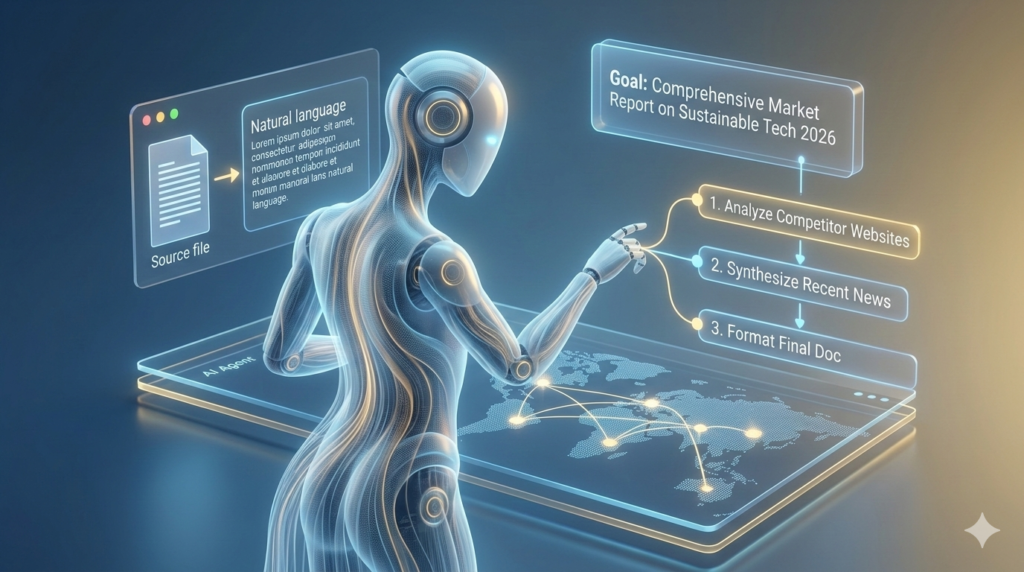
An autonomous AI Agent processing natural language goals into executable multi-step tasks without human intervention.
The biggest breakthrough in working smarter with AI is the rise of AI Agents. Unlike standard automation, agents can “reason” and make decisions based on changing variables.
What Makes an Agent Different?
A standard automation follows a strict “If A, then B” logic. An AI Agent follows a goal: “Find me the best three flight options for my conference in London next month, considering my preference for aisle seats and morning departures.”
The agent will search the web, check your calendar, filter by your preferences, and present a finalized comparison.
Implementing Agents in Business
- Customer Support Agents: They can check order statuses and process refunds autonomously.
- Research Agents: They can browse 50+ websites to compile a market report while you sleep.
- Content Agents: They can take a single YouTube video and turn it into a blog post, 10 tweets, and a LinkedIn carousel.
Analyzing the Advantages and Challenges of AI Systems
The Advantages of Systemic AI
- Massive Speed Gains: Tasks that previously consumed hours of manual labor are now completed in seconds.
- Unrivaled Consistency: AI doesn’t experience fatigue or skip steps. It executes the same quality at 3 AM as it does at 9 AM.
- Infinite Scalability: You can handle ten times the workload without increasing your headcount.
The Challenges to Consider
- Setup Complexity: The initial implementation time can be significant.
- Monitoring Requirements: AI systems require regular oversight to catch “hallucinations” or errors in logic.
- Privacy and Costs: Scaling API calls can lead to increased monthly expenses.
Measuring the ROI of Your AI Productivity System
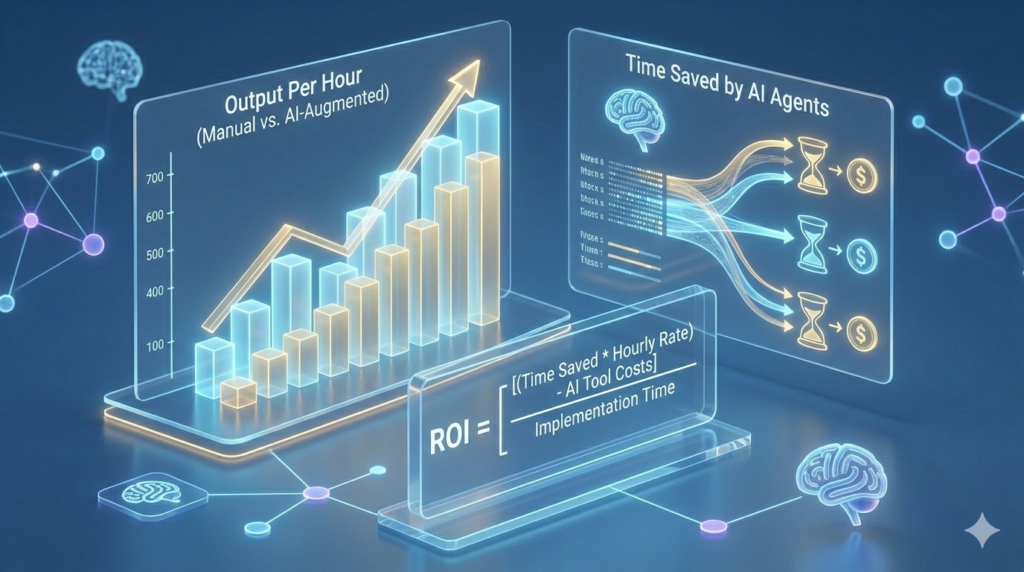
Comparing manual output versus AI-augmented productivity: A clear look at the time and cost savings of systemic automation.
How do you know if you are actually working smarter? Don’t track “hours worked”; track “output per hour.”
$$ROI = \frac{(\text{Time Saved} \times \text{Hourly Rate}) – \text{AI Tool Costs}}{\text{Implementation Time}}$$
Pro Tip: If you spend 5 hours setting up a system that saves you 2 hours every week, you break even in less than a month. In the world of AI Online Business, this is the difference between a struggling freelancer and a scalable agency.
Common Mistakes to Avoid
- Over-complicating the Stack: Don’t buy 20 tools. Start with one LLM and one automation tool.
- Ignoring Data Privacy: Never feed sensitive client data into a public AI model.
- The “Set and Forget” Fallacy: Audit your systems once a month to ensure they are still performing optimally.
## Conclusion: The Path Forward
The goal of an AI Productivity System isn’t to turn you into a robot; it’s to free you from being one. By automating the mundane, you reclaim your time for high-level strategy, creative thinking, and human connection.
To work smarter with AI, start small. Choose one repetitive task today and build a simple automation for it. The future belongs to those who collaborate with AI, not those who compete against it.
Frequently Asked Questions About AI Productivity Systems
Q1: Do I need to know how to code to build an AI productivity system?
No. Tools like Zapier, Make, and Bubble allow you to build complex systems using natural language and “drag-and-drop” interfaces.
Q2: Is my data safe when using AI tools for work?
Most “Pro” tiers of tools like ChatGPT and Claude guarantee that your data is not used to train their models. Always check the privacy settings.
Q3: How long does it take to set up a basic AI system?
A simple “Email to Task” automation takes about 15 minutes. A comprehensive system can take 2 to 5 hours to build and test.
Q4: Can AI systems replace human employees?
AI systems are designed to augment humans. They excel at “doing,” but humans excel at “deciding” and high-level strategy.
Q5: What is the best AI tool for a beginner?
For general productivity, Notion AI is an excellent starting point. For automation, Zapier is the easiest entry point.
Q6: How do I prevent AI from making mistakes?
Use “Human-in-the-loop” design. Have the AI save work as a “Draft” so you can perform a quick quality check before final execution.
Q7: Are AI productivity systems expensive?
A powerful “starter” stack costs roughly $50–$70 per month.
Q8: Can I use AI for offline tasks?
Yes, using tools like Ollama, you can run “Local LLMs” on your own hardware without an internet connection.
Q9: Will AI systems work with my existing email and calendar?
Yes. Almost all major AI tools have direct integrations with Google Workspace and Microsoft 365.
Q10: How do I stay updated with new AI trends?
Follow reputable AI newsletters and dedicate 1 hour a week to testing new features in your tools.
Q11: Can these systems help with creative work?
Absolutely. AI can help with outlines, researching mood boards, or suggesting alternative headlines.
Q12: What is an “AI Agent” exactly?
An AI Agent is a “Bot with a Brain” that figures out the steps needed to reach a specific goal autonomously.