

5 AI Browser Extensions That Will Change How You Work Forever.
Meta Description: Discover the 5 AI browser extensions that will change how you work forever. Boost productivity, automate tasks, and save hours daily with these top AI tools.
Are you feeling overwhelmed by your daily digital tasks? Most professionals spend over four hours a day on repetitive work. This includes answering emails, searching for data, and organizing meetings. What if you could reclaim that time? The secret lies in the tools you use every day. Specifically, your web browser can become a powerhouse of efficiency.
In this guide, you will learn about 5 AI browser extensions that will change how you work forever. These tools use artificial intelligence to handle your most boring tasks. We will explore how they automate workflows and enhance communication. You will see how research becomes faster and more accurate. By the end, you will have a clear roadmap to upgrade your professional life.
Artificial intelligence is no longer a futuristic concept. It is a practical utility that lives right in your Chrome or Edge browser. These extensions integrate directly into your existing habits. You do not need to learn complex new software. Instead, you just click an icon and let the AI work. Let’s dive into the first tool that will transform your digital workspace.
The New Era of Browser-Based Productivity Tools
Browser extensions have evolved from simple ad-blockers into sophisticated AI assistants. These tools leverage large language models to understand your context. They can read the page you are on. They can predict what you need next. This shift marks a new era for anyone working online.
Productivity is no longer about working harder or longer hours. It is about using intelligent systems to multiply your output. For example, a marketing manager can now summarize a 50-page industry report in seconds. Previously, this task took hours of careful reading and note-taking. Now, the AI extracts the key insights instantly.
Transitioning to an AI-driven workflow requires a small mindset shift. You must learn to delegate tasks to your digital assistants. These extensions act as a “copilot” for your brain. They handle the data processing so you can focus on strategy. This approach reduces mental fatigue and prevents burnout.
Monica: Your Universal AI Assistant for Every Tab
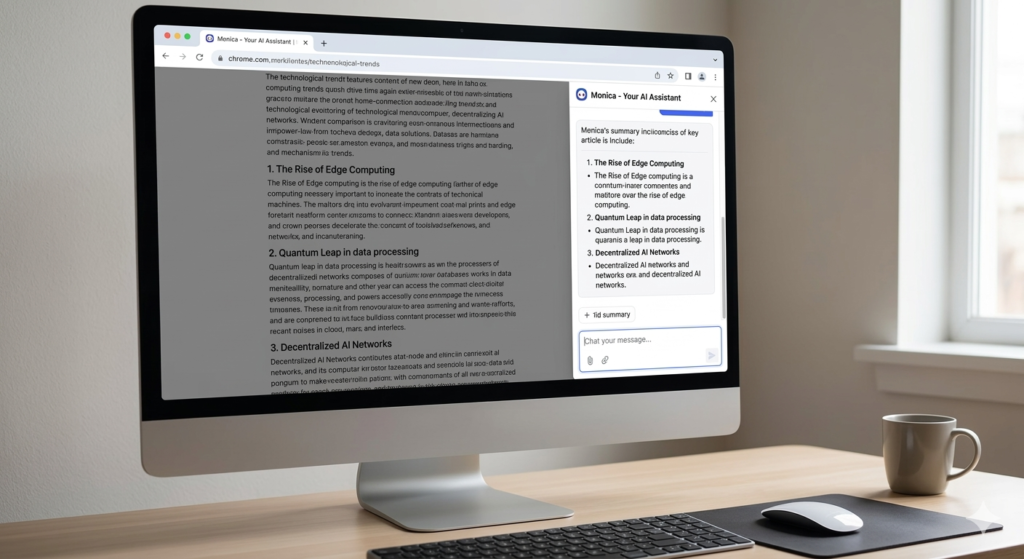
Monica AI provides instant summaries and intelligent assistance directly in your browser sidebar.
Monica is a powerful all-in-one assistant that lives in your browser sidebar. It brings the power of ChatGPT, Claude, and Gemini to any website you visit. You no longer need to switch tabs to get answers. Monica stays with you as you navigate the web.
This extension can summarize long articles and YouTube videos. It can also help you draft emails or social media posts. The tool understands the context of the page you are viewing. If you are reading a complex legal document, you can ask Monica to explain it in simple terms.
Key Features of the Monica AI Extension
Monica offers several specialized tools within one interface. These features make it a versatile choice for professionals in any field.
- Smart Search: Get direct answers alongside your standard Google search results.
- Reading Assistant: Summarize PDFs, web pages, and even long YouTube transcripts.
- Writing Bot: Generate blog posts, replies, and professional messages quickly.
- Translation: Translate text with high accuracy using advanced neural networks.
Consider a customer support agent who receives dozens of inquiries daily. Instead of writing every reply from scratch, they use Monica. The AI analyzes the customer’s question and suggests a polite response. The agent then reviews and sends it. This process cuts response time by 70%.
Grammarly: Elevating Communication with Generative AI
Grammarly has been a leader in writing assistance for years. However, its recent AI updates have turned it into a creative partner. It does more than just fix spelling and punctuation errors now. It helps you find the right tone and structure for your message.
Effective communication is the backbone of any successful business. Grammarly ensures your emails sound professional and your reports remain clear. The AI analyzes your writing style in real-time. It suggests improvements that make your text more engaging and persuasive.
How Grammarly Transforms Your Writing Process
The new generative AI features allow you to brainstorm ideas within the app. You can give it a prompt to “make this sound more confident.” The AI will then rewrite your paragraph to fit that tone.
- Tone Detection: Ensure your message is friendly, formal, or urgent.
- Clarity Suggestions: Remove wordy phrases and passive sentences automatically.
- AI Writing Hub: Draft full documents based on a few bullet points.
- Contextual Editing: Get suggestions based on the specific platform you are using.
Imagine a sales representative reaching out to a high-value prospect. They might be worried about sounding too pushy. Grammarly reviews the draft and suggests a softer approach. It changes “You must buy this” to “This solution could benefit your team.” This small change increases the chance of a positive reply.
Perplexity: Replacing Search with Instant Answers

Perplexity AI streamlines research by delivering direct answers backed by verified sources.
Searching for information online is often a frustrating experience. You have to click through multiple links and avoid ads. Perplexity changes this by providing direct answers with cited sources. It acts as a research engine rather than a traditional search engine.
When you use the Perplexity extension, you get concise summaries. You can ask complex questions and get structured responses. The best part is the transparency. Every claim the AI makes is backed by a link to a real website. This builds trust and saves you from “hallucinations.”
Why Perplexity is Essential for Deep Research
The extension allows you to “Focus” your search on specific domains. You can choose to search only academic papers or social media.
- Source Citations: Always know where the information came from.
- Follow-up Questions: Dig deeper into a topic without starting a new search.
- Page Summarization: Ask questions about the specific page you are currently viewing.
- Pro Discovery: Use advanced models for even more complex data analysis.
A financial analyst needs to find the latest quarterly revenue for a tech giant. Instead of digging through PDF filings, they ask Perplexity. The AI finds the exact number and provides the link to the SEC filing. This turns a ten-minute task into a ten-second one. Transitioning from Google to Perplexity is a major speed boost.
Bardeen: The Master of Workflow Automation
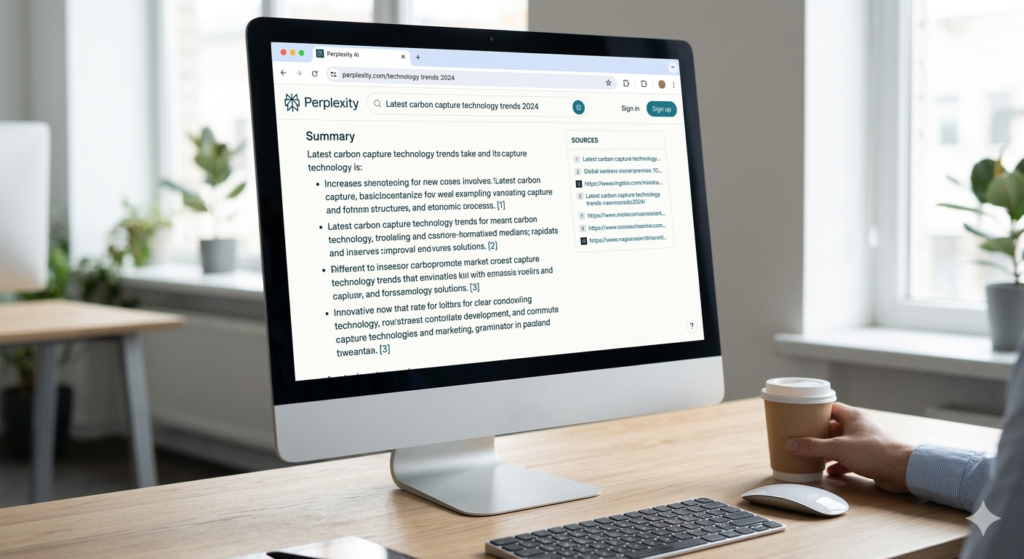
Perplexity AI streamlines research by delivering direct answers backed by verified sources.
Bardeen is perhaps the most unique tool on this list. It does not just process text; it performs actions across your apps. It is a no-code automation tool that lives in your browser. You can use it to scrap data, sync apps, and create custom “playbooks.”
Most manual work involves moving data from one place to another. You might copy a LinkedIn profile and paste it into a CRM. Or you might save a meeting link to your calendar. Bardeen automates these repetitive movements with a single click or a keyboard shortcut.
Automating Repetitive Tasks with Bardeen Playbooks
Bardeen uses AI to understand your natural language commands. You can tell it to “Save this profile to my Google Sheet.” The tool then identifies the name, job title, and company automatically.
- Web Scraping: Extract data from any website without writing code.
- App Integration: Connect tools like Notion, Slack, and HubSpot.
- Smart Triggers: Start automations based on specific events or times.
- Magic Box: Type what you want to do, and the AI builds the automation.
A recruiter spends hours every week sourcing candidates on LinkedIn. With Bardeen, they can click one button on a profile. The AI scrapes the data and puts it into a structured spreadsheet. It even finds the candidate’s email address. This allows the recruiter to find twice as many candidates in half the time.
Fireflies.ai: Capturing Every Detail from Meetings
Meetings are often where productivity goes to die. People forget what was discussed, and action items get lost. Fireflies.ai solves this by acting as an AI note-taker. The browser extension allows you to record and transcribe meetings directly from Chrome.
Whether you are using Zoom, Google Meet, or Microsoft Teams, Fireflies has you covered. It records the audio and generates a high-quality transcript. But it does more than just type what people say. It identifies key themes, tasks, and sentiment.
Turning Conversations into Actionable Data
The AI summary feature provides a quick overview of long calls. You can jump to specific parts of the meeting by searching for keywords.
- Automated Transcription: Get a text version of your video calls instantly.
- Smart Search: Find when a specific topic or price was mentioned.
- Topic Tracking: Automatically tag parts of the call related to “Pricing” or “Next Steps.”
- Collaboration: Share meeting snippets with team members who could not attend.
Think about a project manager running a weekly team sync. Usually, they have to lead the meeting and take notes at the same time. This is difficult and leads to errors. With Fireflies, the manager focuses entirely on the conversation. After the call, the AI sends a summary and a list of tasks to everyone.
Integrating AI Tools into Your Daily Routine
Adding these 5 AI browser extensions that will change how you work forever is just the start. The real magic happens when you use them together. You must create a workflow where these tools complement each other. Start by identifying your biggest “time leaks” during the day.
If you spend too much time on email, prioritize Grammarly and Monica. If your job involves heavy data entry, focus on Bardeen. Use a “phased approach” to implementation. Do not try to master all five tools in one day. Instead, pick one and use it for a full week. Once it becomes a habit, add the next one.
You should also keep an eye on privacy and security. Always check what data an extension can access. Most reputable tools offer granular controls over your information. Being productive also means being safe with your digital assets.
The Future of Work is AI-Powered
The landscape of professional work is shifting rapidly. Those who adopt these AI tools will have a significant advantage. You can produce higher-quality work in a fraction of the time. This gives you more space for creative thinking and personal growth.
In this article, we covered five essential tools. Monica provides a versatile assistant for any task. Grammarly polishes your professional communication. Perplexity streamlines your research and fact-checking. Bardeen automates your repetitive data movements. Finally, Fireflies ensures you never miss a detail in a meeting.
These 5 AI browser extensions that will change how you work forever are available today. They are easy to install and often free to try. Don’t let your competition get ahead of you. Download these extensions and start your journey toward extreme productivity. Your future self will thank you for the extra time and reduced stress.
Frequently Asked Questions About 5 AI Browser Extensions That Will Change How You Work Forever
Q1: Are these AI browser extensions safe to use with sensitive data?
Most major AI extensions take security very seriously. They use encryption to protect your data during transmission. However, you should always check the privacy policy of each tool. Some tools offer an “incognito” mode where data is not used for training. If you work in a highly regulated field, ask your IT department first. Generally, these tools are safe for standard business use and personal productivity.
Q2: Do these extensions slow down my browser’s performance?
Modern AI extensions are designed to be lightweight and efficient. They usually only run when you click on them or visit specific sites. If you notice a slowdown, you can disable extensions you aren’t using. Chrome and Edge also have built-in memory savers. These features help keep your browser fast even with several tools installed. Most users find the productivity gains far outweigh any minor performance impact.
Q3: Can I use these AI extensions for free?
Yes, all the tools mentioned offer a free version or a free trial. Monica and Grammarly have “freemium” models with daily limits. Perplexity is free to use for basic searches. Bardeen offers free playbooks with paid options for advanced integrations. Fireflies has a free tier for a limited number of meeting minutes. You can test them all without spending a penny to see which fits you.
Q4: How do I install these extensions in my browser?
Installing them is a very simple process. Go to the Chrome Web Store or the Edge Add-ons store. Search for the name of the extension, like “Monica” or “Bardeen.” Click the “Add to Chrome” or “Get” button. Once installed, the icon will appear in your browser’s toolbar. You may need to create an account to start using the AI features.
Q5: Will these AI tools replace my job in the future?
AI extensions are meant to assist you, not replace you. They handle the “grunt work” like data entry and summarizing. This allows you to focus on high-level strategy and human relationships. Jobs that involve empathy, complex decision-making, and creativity are safe. Learning to use these tools actually makes you more valuable in the job market. Think of them as power tools for your brain.
Q6: Can I use these extensions on my mobile phone?
Most browser extensions are designed for desktop browsers like Chrome, Edge, or Brave. However, some have mobile apps that sync with your desktop account. Grammarly has a mobile keyboard for iOS and Android. Perplexity and Monica also have dedicated mobile apps. While the “extension” itself might not work on mobile Chrome, the service usually does. You can keep your productivity high even when you are away from your desk.
Q7: Do I need a ChatGPT Plus subscription to use these?
No, you do not need a separate ChatGPT Plus subscription. These extensions have their own pricing models. Some of them use the free versions of AI models like GPT-4o mini or Claude. Others include access to premium models in their own paid plans. This is often more cost-effective than buying multiple separate AI subscriptions. You get the power of several models in one single extension.
Q8: Which extension is best for a student?
Perplexity and Grammarly are the best choices for students. Perplexity helps with academic research by providing real citations and sources. This is much better than just asking a standard chatbot for facts. Grammarly helps ensure essays and emails to professors are clear and professional. Monica is also helpful for summarizing long lecture notes or research papers. These tools can significantly reduce the time spent on homework.
Q9: Can Bardeen automate tasks between different browsers?
Bardeen works within the browser where it is installed. It can connect to cloud-based apps like Google Sheets, Notion, and Slack. Because these apps are in the cloud, the data moves across all your devices. However, the “trigger” for the automation usually happens in your active browser window. It is a great way to bridge the gap between different web-based software tools.
Q10: Why should I use Perplexity instead of Google Search?
Perplexity provides a single, clear answer instead of a list of links. It saves you from clicking on multiple websites to find a simple fact. It also filters out most of the ads and “SEO spam” found on Google. Because it cites its sources, you can verify the information instantly. It is a much faster way to learn about new topics or find specific data points.“`